
Xamarin.Forms.MapsのMapクラスには、Pinsというピン専用のプロパティがあり、Addメソッドを使用してピンを立てることができます。
AddメソッドにはPinクラスのインスタンスを渡します。
このPinクラスには、以下表に示す設定を行うことができます。
| Type | ピンの種類。Generic, Place, SavedPin, SearchResultのいずれかを指定します。 |
| Position | 地図上のピンの表示位置を指定します。 |
| Label | ピンに表示するラベルの文字列を指定します。 |
| Address | ピンに表示する住所を表す文字を指定します |
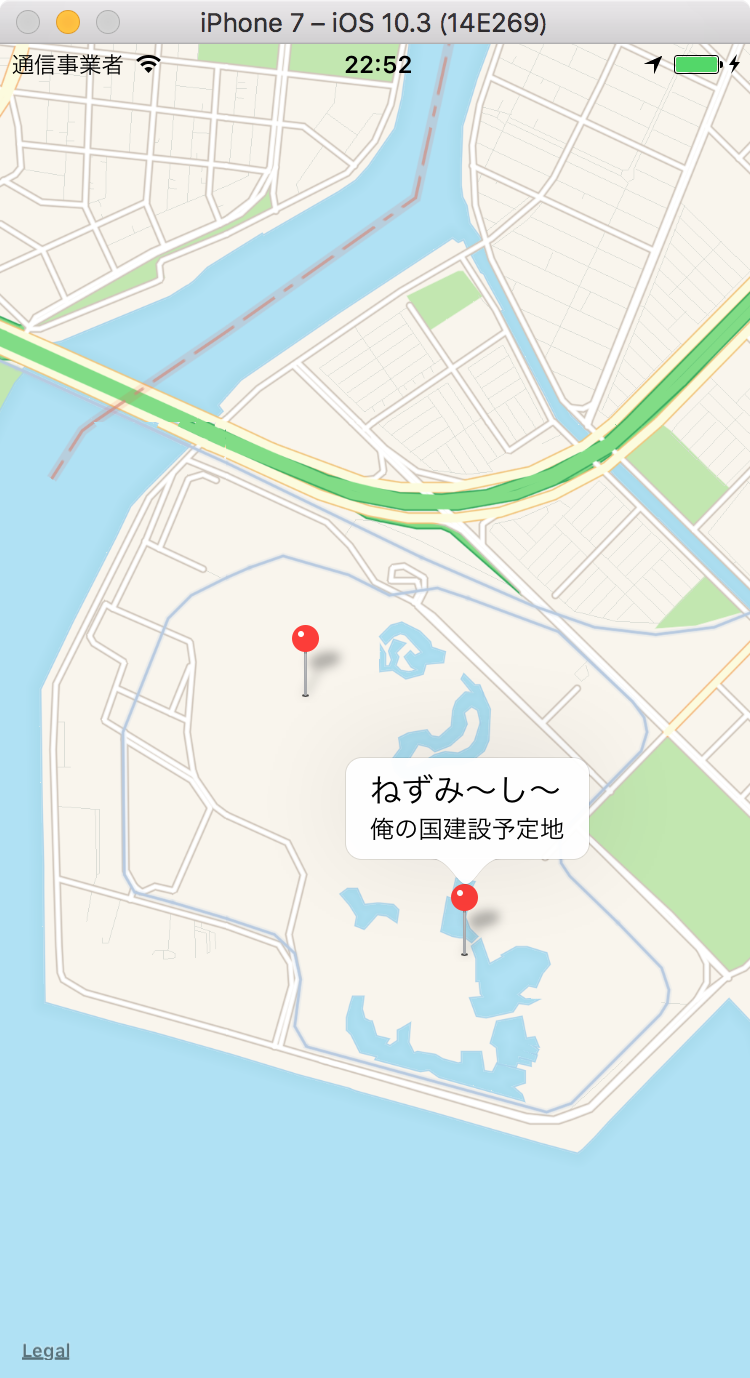
以下に、2つのピンを表示するコード例を示します。
// 以下追加
using Xamarin.Forms;
using Xamarin.Forms.Maps;
namespace MapSample
{
    public class MapPage : ContentPage
    {
        public MapPage()
        {
            var map = new Map(
                MapSpan.FromCenterAndRadius(
                    new Position(35.6329, 139.8803),
                    Distance.FromKilometers(1.0))) {
                IsShowingUser = true,
                VerticalOptions = LayoutOptions.FillAndExpand,
                HasScrollEnabled = true,
                HasZoomEnabled = false


            };

            // 1つ目のピンを作成
			var pin1 = new Pin
			{
				Type = PinType.Place,
				Position = new Position(35.6329, 139.8803),
				Label = "ねずみ〜らんど",
				Address = "夢と魔法の国"
			};
            // Mapに1つ目のピン追加
			map.Pins.Add(pin1);

            // 2つ目のピンを作成
			var pin2 = new Pin
			{
				Type = PinType.Place,
				Position = new Position(35.6267, 139.8850),
				Label = "ねずみ〜し〜",
				Address = "俺の国建設予定地"
			};
            // Mapに2つ目のピンを追加
			map.Pins.Add(pin2);

			Content = new StackLayout
            {
                Children = { map }
            };
        }
    }
}
22〜31行目で1つ目のピンを、33〜42行目で2つ目のピンを追加しています。
Please follow and like us:


コメント