
はじめに
TimePicker は時刻の表示や選択をするためのコントロールです。
任意の時刻を表示するには Timeプロパティを使用します。
Xamlによる時刻の表示
以下はXamlにおけるTimeプロパティの使用例です。この例では、12:34:56を表示します。
<?xml version="1.0" encoding="utf-8"?>
<ContentPage
    xmlns="http://xamarin.com/schemas/2014/forms"
    xmlns:x="http://schemas.microsoft.com/winfx/2009/xaml"
    xmlns:local="clr-namespace:timePickerSample01"
    x:Class="timePickerSample01.MainPage">
    <StackLayout HorizontalOptions="CenterAndExpand" VerticalOptions="CenterAndExpand">
        <!-- Place new controls here -->
        <TimePicker Time="12:34:56" />
    </StackLayout>
</ContentPage>
コードビハインドでの実装例
コードビハインドでは以下のように実装します。
既定の書式は「HH:mm」ですので、秒まで表示したい場合は Formatプロパティに「HH:mm:ss」を指定します。
また、時刻はTimeSpan型ですので、18行目のようにして表示したい時刻を作成します。ここでは12:34:56を作成しています。
using System;
using System.Collections.Generic;
using System.Linq;
using System.Text;
using System.Threading.Tasks;
using Xamarin.Forms;

namespace timePickerSample01
{
    public partial class MainPage : ContentPage
    {
        public MainPage()
        {
            InitializeComponent();

            TimeSpan ts = new TimeSpan(12, 34, 56);

            this.timePicker.Format = "HH:mm:ss";
            this.timePicker.Time = ts;
        }
    }
}
実行例
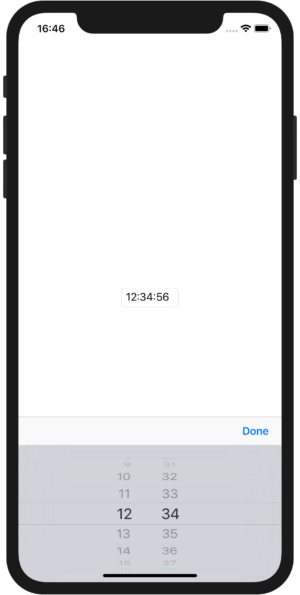
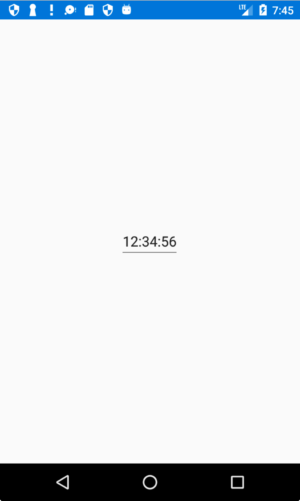
実行をすると、以下のように12:34:56が選択された状態で表示されます。
Please follow and like us:


コメント